Building impressive homes in Minecraft takes time, resources, and creative vision. For players who want beautiful bases without spending hours placing individual blocks, house building addons provide the perfect solution. These mods deliver instant structures, customizable blueprints, and prefabricated designs that transform empty terrain into stunning residences with just a few taps.
House building addons serve multiple purposes across different playstyles. Survival players get functional shelters quickly, protecting them from hostile mobs while they gather resources. Creative builders use these mods as foundations to customize and expand. Multiplayer servers benefit from consistent architectural styles. The best addons balance convenience with customization, offering enough variety to match any biome or building theme.
The right addon can save dozens of hours while maintaining the satisfaction of creating something remarkable. Modern house mods for Minecraft Bedrock include everything from starter cottages to massive mansions, complete with furnished interiors and landscaped exteriors.
Complete Houses Collection
Browse hundreds of instant build addons featuring modern homes, medieval castles, treehouse designs, and themed structures ready to place in your world.
Browse Collection →Instant Structure Addons
Instant structure mods generate complete buildings through special items or commands. These addons typically provide spawn eggs, construction wands, or craftable blueprints that summon fully-formed houses when used.
One-Click House Builder remains popular for its simplicity. Craft a house token using common materials like planks, stone, and iron ingots. Place the token on flat ground, activate it, and watch a complete home materialize within seconds. The mod includes 15 different house styles ranging from compact survival shelters to two-story family homes. Each structure comes pre-furnished with beds, crafting tables, chests, and lighting. The resource requirements scale with house size, ensuring balance in survival mode.
Mega Structure Pack takes instant building further with 40+ designs. This addon categorizes houses by theme: modern, medieval, fantasy, rustic, and futuristic. Modern homes feature clean lines, glass walls, and rooftop terraces. Medieval builds use stone brick, oak beams, and thatched roofs. The fantasy category includes wizard towers, elven treehouses, and underground bunkers. Each structure is hollow-built, meaning interiors remain empty for players to customize with furniture mods.
Biome-Specific Housing adapts structures to match surrounding environments. Desert builds use sandstone and terracotta with flat roofs and shade awnings. Taiga houses incorporate spruce logs, stone foundations, and steep roofs for snow runoff. Jungle structures feature bamboo scaffolding, elevated floors, and open-air designs. The addon detects the biome where you place the construction item and automatically selects an appropriate style.
Blueprint and Schematic Systems
Blueprint addons provide building templates that guide manual construction or semi-automate the process. These mods offer more control than instant structures while still accelerating build times.
Construction Planner projects holographic overlays showing where to place each block. Activate a blueprint item to display a transparent 3D model of the house. The overlay shows exact block types, colors, and positions. As you place blocks correctly, the hologram updates to show progress. This system teaches building techniques while ensuring accuracy. The addon includes 25 house designs with difficulty ratings from beginner to expert.
Smart Builder Assistant combines blueprints with resource management. Select a house design, and the mod scans your inventory for required materials. It generates a complete shopping list showing what you already have versus what you need to gather. During construction, the assistant highlights which block to place next, creating a step-by-step building guide. This addon works exceptionally well for survival mode, where resource gathering is part of the gameplay loop.
Modular Housing System breaks houses into components: foundations, walls, roofs, porches, and interior rooms. Craft individual modules, then combine them like building blocks. A basic starter home might use a stone foundation module, oak wall sections, a gable roof, and a single-room interior. As you progress, add extension modules for bedrooms, storage rooms, or workshops. The system maintains architectural consistency while allowing infinite customization.
Prefab Home Collections
Prefab addons focus on variety, offering extensive libraries of pre-designed structures across multiple styles and size categories.
Ultimate House Collection delivers 60+ complete homes organized by complexity tiers. Tier 1 houses use 200-500 blocks and provide basic shelter with minimal resources. Perfect for the first night in survival mode. Tier 2 structures range from 500-1500 blocks and include multiple rooms, decorative elements, and storage space. Tier 3 mansions exceed 2000 blocks with elaborate architecture, multiple floors, balconies, and landscaped gardens. Each tier uses progressively rarer materials, creating natural progression in survival gameplay.
Themed Housing Pack organizes builds around specific concepts. The Coastal Collection features beach houses, lighthouses, and dock-side cabins built with light-colored woods and blue accents. Mountain Lodge designs incorporate stone, dark oak, and large windows for scenic views. Urban Apartments provide multi-story buildings suitable for city builds or multiplayer servers. Each themed set includes 8-12 variations to prevent repetitive landscapes.
Cultural Architecture Series brings real-world building styles to Minecraft. Japanese builds feature pagoda roofs, shoji screen windows, and zen gardens. Mediterranean villas use white concrete, terracotta roofs, and courtyard layouts. Nordic longhouses combine stone foundations with timber construction and sod roofs. The addon includes reference materials explaining the historical and cultural elements of each style, adding educational value to the building experience.
Survival-Optimized Building Mods
Some addons specifically target survival mode players who need efficient shelters without creative mode advantages.
Survival Starter Homes provides a progression system matching typical survival gameplay phases. Early-game shelters require only wood and cobblestone, offering basic protection and storage. Mid-game houses incorporate iron, glass, and brick, with expanded space for enchanting tables and brewing stands. Late-game bases use nether materials, end stone, and advanced redstone systems. The mod automatically unlocks new house designs as you achieve milestones like defeating the Ender Dragon or finding ancient debris.
Resource-Efficient Builder focuses on minimizing material costs while maximizing functionality. Houses in this addon use clever design tricks: half-slabs reduce wood consumption, strategic lighting prevents mob spawns with fewer torches, and compact layouts reduce wall materials. A standard two-room house that normally requires 800 blocks might only need 500 with these optimizations. The mod proves particularly valuable in hardcore mode or limited-resource challenge maps.
Quick Defense Structures prioritizes safety features. Houses include iron doors with pressure plate locks, window designs that prevent skeleton shots, and raised entrances blocking ground-level mob access. Roofs use non-flammable materials to prevent lightning fires. Interiors place beds in protected corners away from exterior walls. These practical considerations make survival gameplay less frustrating while maintaining building aesthetics.
Multiplayer and Server-Friendly Addons
Multiplayer environments have unique requirements: consistent styles, claim-friendly sizes, and performance optimization.
Community Housing Standard provides uniform house designs perfect for server towns and settlements. All structures follow similar size guidelines (typically 12x12 or 16x16 foundations) making plot allocation straightforward. The addon includes houses at multiple price points, allowing server economies to tie housing quality to player wealth or rank. Administrators can restrict certain designs to donor tiers or achievement unlocks. The uniform style creates cohesive neighborhoods without sacrificing individual expression through interior decoration.
Claim-Sized Homes designs every structure to fit standard land claim dimensions used by protection plugins. Houses come in 16x16, 32x32, and 64x64 variants matching common claim sizes. This prevents frustrating situations where a house extends beyond protected areas or wastes claimed space. The addon also includes corner markers and boundary indicators to help players visualize their claim limits during construction.
Performance-Optimized Structures reduces lag on busy servers. Houses avoid excessive entity use (fewer item frames, armor stands, and decorative blocks), employ efficient lighting patterns, and use solid blocks instead of complex shapes where possible. These optimizations prevent the framerate drops that occur when multiple detailed houses load simultaneously. The designs still look attractive but prioritize server health over minute detail.
Furniture and Interior Design
Complete your house builds with custom furniture, appliances, decorations, and functional items to create fully furnished living spaces.
Browse Collection →Modern versus Traditional Building Styles
House addons typically fall into modern or traditional architectural categories, each with distinct advantages.
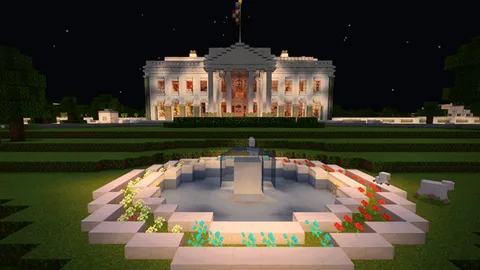
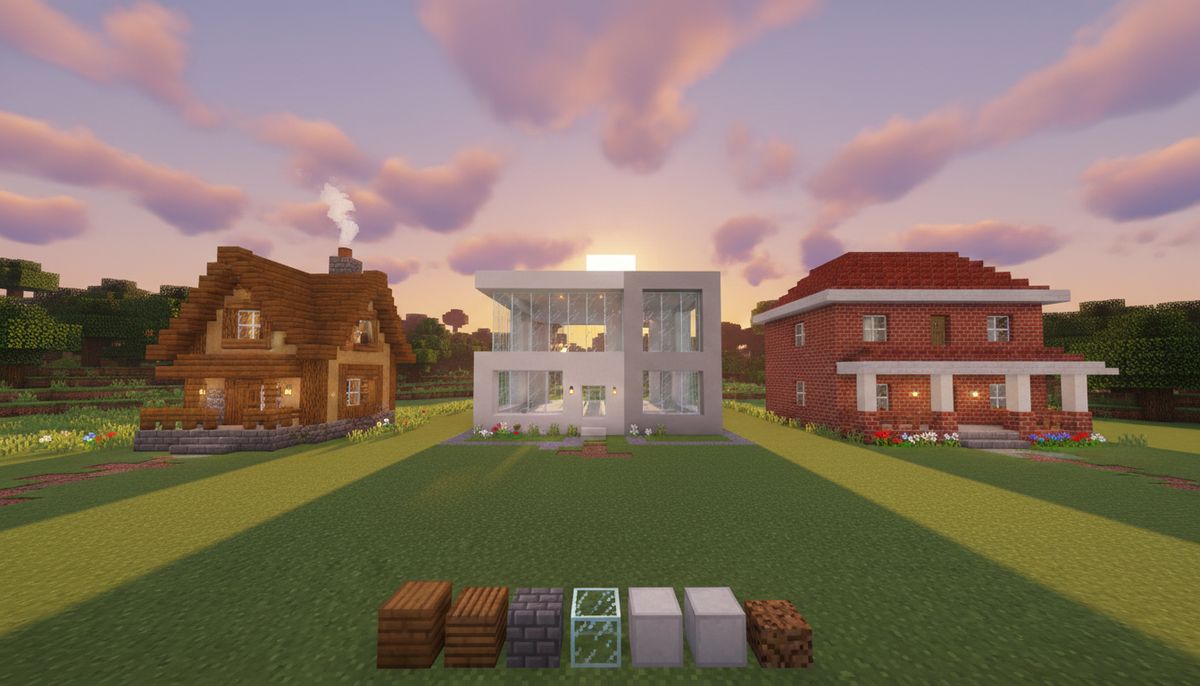
Modern house mods emphasize clean geometry, large windows, and contemporary materials like concrete, glass, and quartz. These builds feature flat or low-slope roofs, open floor plans, and minimalist exteriors. Modern designs work well in flat biomes like plains or beaches where the angular architecture contrasts with organic terrain. They also complement realistic texture packs that enhance material details. Popular modern addons include houses with rooftop pools, floor-to-ceiling windows, and attached garages for vehicle storage.
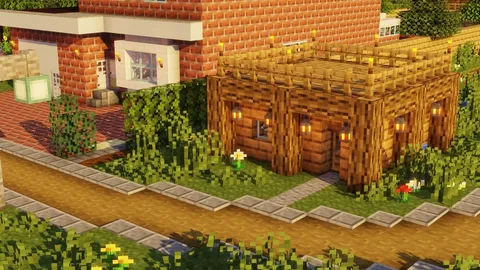
Traditional builds use classic Minecraft materials: oak logs, cobblestone, brick, and thatch-style roofs. These structures blend naturally with vanilla terrain and satisfy players who prefer timeless aesthetics over trends. Traditional addons often include farmhouses with attached barns, cottages with garden plots, and manor houses with multiple wings. These designs suit forest, taiga, and mountain biomes where natural materials create visual harmony with surroundings.
Hybrid addons combine elements from both styles. A house might use traditional timber framing with modern glass panels, or contemporary shapes built from rustic materials. These fusion designs appeal to players who want unique builds that stand out from both modern and traditional categories.
Customization and Expansion Features
The most valuable house addons include customization options rather than fixed designs.
Color variant systems let players choose material palettes before construction. A blueprint might offer the same house design in oak, spruce, birch, or dark oak variants. Roof colors might include terracotta, concrete, or traditional materials. This flexibility allows multiple players to use the same addon without creating identical neighborhoods.
Expansion modules add rooms or features to existing structures. Build a starter home, then craft an expansion token to add a second floor, attach a greenhouse, or include a basement level. These modular systems grow with player needs, preventing the frustration of outgrowing a house and starting from scratch.
Interior customization separates structure generation from furnishing. The house builds as an empty shell with designated spaces for sleeping areas, storage, and crafting zones. Players then add furniture using separate items or companion mods. This approach accommodates different playstyles: minimalists keep interiors sparse while decorators fill every corner.
Rotation and placement tools improve construction flexibility. Select a house design, then rotate it to align with terrain features, roads, or other buildings. Placement preview modes show the structure as a transparent overlay before final construction, preventing mistakes on uneven ground.
Compatibility and Technical Considerations
House building addons interact with other mods and game mechanics in ways that affect functionality.
Most structure addons work alongside building mods that add new block types. If a house uses vanilla materials, it remains compatible with virtually any addon combination. Problems arise when house mods require specific blocks from other addons that may not be installed. Check addon descriptions for dependencies before downloading.
World generation conflicts occasionally occur when instant structure mods try to generate buildings in already-occupied spaces. The best addons include collision detection that prevents houses from spawning inside hills or replacing existing structures. Manual placement systems using items avoid this issue entirely, giving players complete control over locations.
Performance varies based on structure complexity and generation method. Instant builds that appear in a single tick can cause brief lag spikes, especially on older devices. Blueprint systems that guide manual construction never cause lag since players place blocks at normal speed. Consider device capabilities when selecting addons for mobile Minecraft Bedrock gameplay.
Save file size increases with every generated structure since each block consumes storage space. Large mansion addons that place thousands of blocks can noticeably inflate world file sizes over time. Servers with many players using house mods should monitor storage consumption and consider file size limits.
Recommended Addon Combinations
Pairing house mods with complementary addons creates complete gameplay experiences.
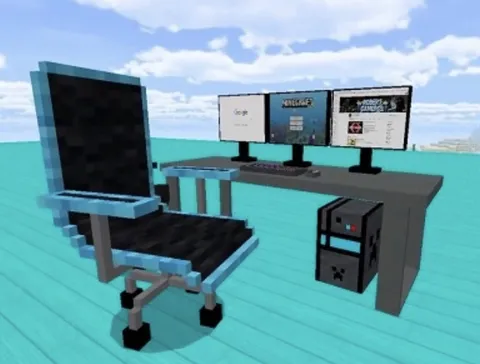
Combine structure addons with furniture mods for fully decorated homes. Generate the building shell using a house addon, then add chairs, tables, appliances, and decorations with furniture packs. This two-step approach provides more customization than pre-furnished houses while remaining faster than building everything manually.
Pair housing mods with realistic texture packs for enhanced visual appeal. Modern house designs especially benefit from high-resolution concrete and glass textures. Traditional builds gain authenticity from detailed wood grain and stone textures. The combination transforms simple block structures into convincing architectural showcases.
Use house addons alongside survival enhancement mods for balanced progression. Survival addons that add backpacks, better tools, and expanded crafting complement housing systems by making resource gathering more efficient. This maintains survival challenge while reducing tedious aspects.
Coordinate house mods with map downloads for themed worlds. Adventure maps often include building zones where players construct bases between quests. Housing addons accelerate this process, keeping focus on the map's primary content rather than construction time.
Tips for Choosing the Right House Addon
Selecting from dozens of available mods requires understanding your specific needs and preferences.
Evaluate your playstyle first. Pure survival players benefit from resource-efficient designs with progression systems. Creative builders want variety and customization options. Multiplayer participants need claim-compatible sizes and consistent styles. Match addon features to how you actually play rather than choosing based on screenshots alone.
Check material requirements before committing to a design. Some mansion addons require multiple diamond blocks, netherite, or other rare materials that create impossible demands in survival mode. Verify that required blocks match your resource availability and gathering willingness.
Test placement mechanics in a temporary world before using addons in your primary save. Some structure mods have awkward placement systems or unexpected behaviors. Testing prevents disasters like generating a house inside your existing base or discovering an addon doesn't work as advertised.
Read user reviews and comments on addon pages. Other players reveal compatibility issues, bugs, or functionality problems that descriptions omit. Recent comments indicate whether addons remain updated for current Minecraft versions.
Consider file size and complexity relative to your device. Mobile players should prioritize lighter addons with simpler structures. PC and console players can handle more detailed builds with complex redstone systems and extensive decorations.
Verify update status for your Minecraft Bedrock version. Outdated addons may not work correctly with recent updates, causing crashes or generation failures. Active developers who maintain their mods ensure long-term usability. Check the houses category regularly for newly updated options.
Start with variety packs that include multiple house styles rather than single-structure mods. This approach provides more value and flexibility for the same installation effort. You can experiment with different designs before settling on favorites for permanent builds.
House building addons transform Minecraft's construction experience from time-consuming block placement to efficient creative expression. The right mod combination delivers beautiful homes that match your aesthetic preferences while respecting your time investment and gameplay style.