Why Parkour Maps Are Addictive
Parkour maps strip Minecraft down to pure movement. No mining, no crafting, no mobs — just you, the blocks, and gravity. Each jump is a micro-challenge that takes seconds to attempt but hours to master.
The best parkour maps combine tight level design with satisfying progression. Start with simple jumps, learn new techniques floor by floor, and finish with sequences that test everything you have practiced.

Parkour Maps Collection
Browse all free parkour maps — beginner courses, extreme challenges, themed runs, and multiplayer races. Tested for Bedrock 1.21.
Browse Maps →Difficulty Tiers
Easy Parkour
Wide platforms, short gaps, generous checkpoints. Perfect for players new to parkour or those warming up before harder maps.
What you learn: Basic sprint-jumping, directional control, landing accuracy.
Medium Parkour
Smaller platforms, longer gaps, and the introduction of special blocks like ice, slime, and soul sand. Checkpoints are less frequent.
What you learn: Momentum management, block-specific physics, consistent sprint-jumps.
Hard Parkour
Precision jumps, neo gaps, head-hitters, and ladder techniques. One wrong input means falling. Checkpoints only at section boundaries.
What you learn: Advanced jump types, wall movement, precise timing under pressure.
Extreme Parkour
Frame-perfect timing, invisible blocks, combinations of every technique in rapid succession. Designed for players who have mastered everything else.
What you learn: Patience. Extreme parkour rewards persistence and muscle memory over raw skill.
Jump Types Explained
| Jump Type | Description | Difficulty |
|---|---|---|
| Standard | Sprint-jump across a gap | Easy |
| Corner jump | Land on the corner edge of a block | Medium |
| Neo | Sprint-jump through a 1-block wall gap | Hard |
| Head-hitter | Jump under a low ceiling that limits height | Hard |
| Ladder jump | Launch from a ladder to a distant platform | Medium |
| Slime bounce | Use slime blocks for boosted height | Medium |
| Ice sprint | Maintain control on slippery surfaces | Hard |
| Fence walk | Balance on thin fence-post hitboxes | Extreme |
Timer and Checkpoint Systems
Modern parkour maps use command blocks for built-in timers. A clock starts when you begin and stops at the finish line. Your best time is saved, letting you compete against yourself or friends.
Checkpoint systems set your spawn point as you progress. Fall below a section and you respawn at the last checkpoint instead of restarting entirely. Maps without checkpoints are sometimes called "deathless runs" — one fall means starting over.
Themed Parkour
The best creators build parkour into visual narratives. The jumps are the same, but the environment tells a story.
Volcano escape: Platforms crumble behind you. Lava rises. The parkour gets harder as you climb to safety.
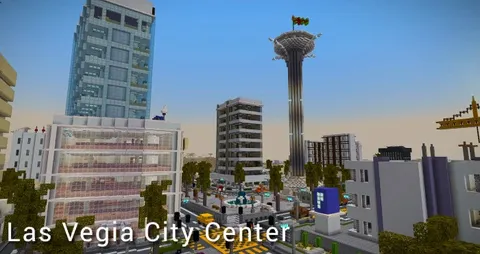
Sky tower: Ascend a massive tower floor by floor, each floor introducing a new jump type.
Underwater ruins: Waterlogged blocks, bubble columns, and trident-boosted jumps add aquatic mechanics to classic parkour.
Nether run: Lava pits below, ghast-like obstacles above, and narrow basalt bridges connecting platforms. Browse more themed worlds in our maps collection.
Multiplayer Races
Parkour shines in competitive multiplayer. Parallel courses let two or more players race simultaneously. The first to reach the finish wins.
Split-screen racing: Two identical courses side by side. Watch your opponent's progress while maintaining your own focus.
Relay parkour: Team-based maps where each player completes a section before the next teammate starts. Strategy matters — assign the best jumper to the hardest section.
Mobile Controls Tips
Parkour on touch screens is harder than keyboard or controller. These settings help.
Enable split controls: Separates movement and camera into distinct thumb zones. Essential for accurate sprint-jumps.
Increase sensitivity slightly: Faster camera turns help you adjust mid-air.
Use a controller: Bluetooth controllers with physical joysticks provide the most precise movement for difficult parkour.
Practice sprint-jumping: Tap forward twice quickly, then jump at the edge. On mobile, the timing window is tighter than on PC.
How to Install Parkour Maps
- Download the
.mcworldfile from our maps collection - Tap the file on mobile or double-click on PC
- Minecraft imports the world automatically
- Set game mode to Adventure and difficulty to Peaceful
- Start jumping
For a detailed walkthrough, read our complete installation guide.
Recommended Combinations
Visual upgrade: Parkour map + texture pack with clear block edges for better depth perception.
Fun break: Between parkour sessions, explore mini-game maps or try fun addons for a change of pace.
Full challenge run: Complete an easy, medium, hard, and extreme parkour map in sequence as a single session endurance test.