Why Realism Addons Matter
Minecraft's blocky aesthetic is iconic, but sometimes you want more. Realism addons layer stunning lighting, smooth animations, and convincing physics on top of the classic look. Sunsets cast orange light through windows. Trees sway in the wind. Water reflects the sky. The game starts to feel cinematic.
The best part: you choose how far to go. A single lightweight shader transforms the mood. Stack it with animation and physics packs for a near-complete visual overhaul.

Textures & Shaders Collection
Browse all free texture packs, shaders, and visual addons. Realistic, cartoon, medieval, and minimalist styles. Tested for Bedrock 1.21.
Browse Collection →Best Shader Packs
Lightweight Shaders
Improved lighting, soft shadows, and subtle color grading without heavy GPU load. These run on most phones and add atmosphere without sacrificing frame rate.
Best for: Mobile devices, older hardware, players who want a visual boost without performance drops.
Medium Shaders
Dynamic shadows, water reflections, and volumetric fog. Noticeably better than lightweight but require devices from 2021 or newer with at least 3 GB RAM.
Heavy Shaders
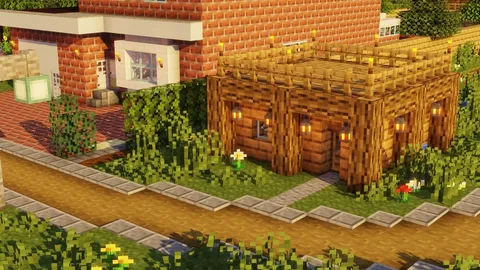
Near-photorealistic lighting with ray-traced shadows, bloom, ambient occlusion, and waving foliage. Stunning but demanding. Recommended for tablets, newer phones, and Windows PCs.
| Shader Level | Shadows | Reflections | Fog | Performance Impact |
|---|---|---|---|---|
| Lightweight | Soft | None | Basic | Low |
| Medium | Dynamic | Water only | Volumetric | Moderate |
| Heavy | Ray-traced | Full | Volumetric + God rays | High |
Best Animation Addons
Player Animations
Replace stiff vanilla movements with smooth transitions. Walking, running, swimming, attacking, mining, and idle poses all get fluid motion. First-person and third-person animations update together.
Mob Animations
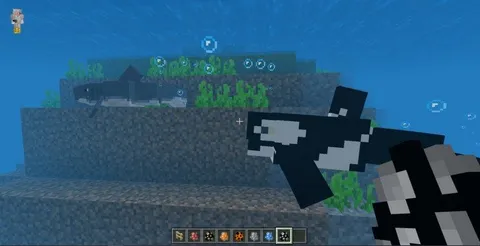
Animals graze, stretch, and sleep. Zombies shamble with weight. Spiders crawl with leg-by-leg movement. These small details add personality to every creature. Pairs well with mob addons that add new creatures.
Block Animations
Leaves flutter, flames dance, water flows with depth. Subtle but impactful when combined with a shader that adds matching lighting.
Best Physics Addons
Block Physics
Broken blocks do not just vanish — they crumble into fragments that scatter and fade. TNT explosions send debris flying. Mining feels satisfying when stone cracks and falls apart.
Particle Enhancements
Campfire smoke drifts realistically. Rain splashes on surfaces. Torch flames flicker and cast moving shadows. Snow accumulates on flat surfaces over time in cold biomes.
Weather Overhauls
Dynamic weather systems with fog rolling through valleys, thunderstorms with screen-flash lightning, and wind that affects particle direction. Immersion jumps dramatically.
Sound Packs
Often overlooked, sound packs complete the realism package:
- Ambient sounds — Birds in forests, crickets at night, wind on mountain tops
- Footstep overhauls — Different sounds for stone, wood, grass, sand, and snow
- Weather audio — Realistic rain, thunder with distance-based volume
- Cave atmospherics — Dripping water, echoing footsteps, distant rumbles
How to Install Realism Addons
- Download from our textures collection or find specific packs in our texture packs guide
- Tap/click the file to import into Minecraft
- Go to Settings > Global Resources to apply shaders and textures globally, or activate per-world in world settings
- Adjust render distance if performance drops
Full step-by-step instructions in our installation guide.
Device Recommendations
Budget phones (2-3 GB RAM): Lightweight shader only. Skip physics and heavy animations.
Mid-range phones (4-6 GB RAM): Medium shader + player animations. Add physics if frame rate stays above 30 FPS.
Tablets and newer phones (6+ GB RAM): Heavy shader + full animation pack + physics. Reduce render distance to 10 chunks.
Windows PC: Run everything. Heavy shaders + animations + physics + sound packs at 16+ chunks render distance.
Recommended Combinations
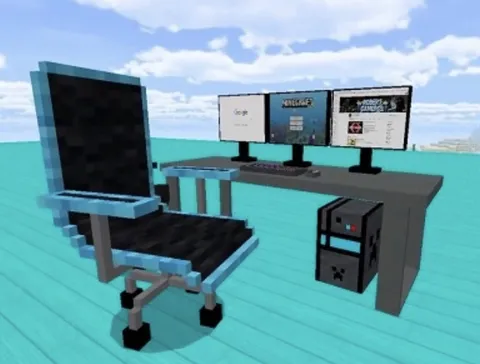
Cinematic build showcase: Heavy shader + block animations + furniture mods for detailed interiors
Immersive survival: Medium shader + player animations + weather overhaul + sound pack
Performance-friendly upgrade: Lightweight shader + realistic texture pack + ambient sounds
Realism mods pair perfectly with creative mode mods — shaders and textures make build showcases stunning.
Complete overhaul: Shader + animations + physics + sound + 64x texture pack for a total visual transformation
Tips for Best Results
Apply shaders globally. Use Settings > Global Resources so every world benefits without per-world setup.
Match texture resolution to your device. 32x for phones, 64x for tablets, 128x+ for PCs only.
Restart after installing. Some shader packs require a full game restart to load correctly.
Test one addon at a time. If something looks wrong, you will know exactly which pack caused it.