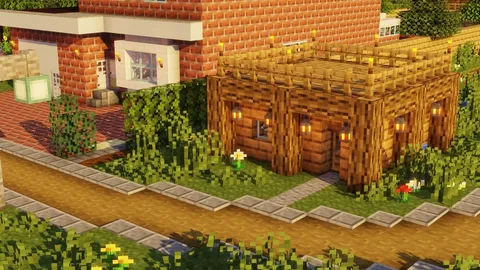
What Makes a Texture Pack "Realistic"
Realistic texture packs replace Minecraft's blocky 16x16 pixel textures with high-resolution images that mimic real-world materials. Stone looks like actual stone with visible grain and cracks. Wood shows natural bark patterns. Water has depth and transparency.

The key factors that define a realistic pack:
- Resolution: 64x minimum, typically 128x or 256x
- Material detail: Visible grain, weathering, surface imperfections
- Color palette: Natural, muted tones instead of Minecraft's saturated colors
- Consistency: Every block matches the same visual style
Resolution Comparison
| Resolution | Pixel Detail | File Size | RAM Usage | Best For |
|---|---|---|---|---|
| 64x | 4x default | 20-50 MB | Low | Mobile, entry-level realistic |
| 128x | 8x default | 80-200 MB | Medium | Mid-range phones, tablets |
| 256x | 16x default | 200-500 MB | High | High-end tablets, PCs |
| 512x | 32x default | 500 MB-1 GB | Very high | Gaming PCs only |
Top Picks by Style
Photorealistic
These packs aim for maximum realism. Every block texture is based on real photographs of materials.
- Detailed stone with visible mineral deposits and cracks
- Wood planks with natural grain variation per plank
- Realistic ores with metallic sheen embedded in rock
- Glass with subtle reflections and thickness
Resolution: 128x-256x. Device: High-end tablet or PC recommended.
Semi-Realistic
A balance between Minecraft's charm and real-world detail. Blocks are recognizable but far more detailed than vanilla.
- Enhanced stone and dirt with subtle depth
- Improved vegetation with leaf variation
- Better water and lava textures
- Upgraded UI elements and item sprites
Resolution: 64x-128x. Device: Works on most modern phones.
Natural/Organic
Focus on outdoor elements — grass, trees, flowers, sky, and weather look stunning while indoor blocks stay simpler.
- Lush grass with blade detail and color variation
- Realistic tree bark and leaf textures
- Dramatic sky and cloud replacements
- Enhanced particle effects for rain and snow
Resolution: 64x-128x. Device: Mid-range and above.

Architectural
Designed for builders. Clean, detailed textures for construction materials — concrete, bricks, tiles, metals.
- Smooth concrete with subtle surface variation
- Realistic brick patterns with mortar detail
- Polished metal and glass textures
- Consistent scale across all building materials
Resolution: 128x-256x. Device: Depends on resolution choice.
Texture Packs Collection
Free realistic, HD, and stylized texture packs tested for Bedrock 1.21. Download and transform your world in minutes.
Browse Texture Packs →Device Requirements
Realistic packs demand more from your hardware. Here is what to expect:
| Device | Max Resolution | Settings Adjustments |
|---|---|---|
| iPhone 15 Pro / iPad Pro | 256x | Render distance 10-12 chunks |
| iPhone 12-14 / Galaxy S21+ | 128x | Render distance 8 chunks |
| Older phones / budget tablets | 64x | Render distance 6 chunks, fancy off |
| Gaming PC (8 GB+ RAM) | 512x | Full settings |
Performance Tips
- Reduce render distance first — this has the biggest impact on FPS with HD packs
- Turn off smooth lighting — saves GPU load with minimal visual difference at 128x+
- Close background apps on mobile before launching
- Avoid stacking realistic packs — one high-quality pack beats three overlapping ones
- Pair with shaders carefully — shaders plus 256x textures require serious hardware
Pairing with Shaders
Realistic textures plus shaders create the most visually impressive Minecraft experience. Shaders add dynamic lighting, soft shadows, and reflective water that complement high-resolution textures.
Recommended approach:
- Install your realistic texture pack first
- Add a lightweight shader pack (avoid ultra presets on mobile)
- Test performance — drop render distance if needed
For style comparisons beyond realistic, see our texture style comparison guide.
How to Install
Follow our complete download and installation guide for step-by-step instructions. Quick version:
- Download the
.mcpackfile from our texture collection - Tap the file — Minecraft imports it automatically
- Settings > Global Resources > Activate the pack
- Adjust render distance based on the device table above
Want lightweight packs instead? Check our FPS-friendly texture pack guide.