
Why Everyone Is Searching for Just Zoom Addon Right Now
Just Zoom has surpassed 359,000 downloads on CurseForge, and the search spike makes perfect sense. Players want a simple solution to a universal problem: looking at distant terrain, spotting mobs from afar, or lining up precision shots without crafting a spyglass every single time.
The addon sits at the intersection of convenience and smart design. It lets you zoom without a spyglass, making it way easier to look far away in survival. Instead of hunting for copper and amethyst shards just to scout your surroundings, you press a hotkey. Done.
Version 1.2.1 launched in April 2026, bringing compatibility fixes that resolved crashes when combining Just Zoom with other popular addons. That update pushed the mod back into trending autocomplete suggestions across Google and YouTube. Players who abandoned it months ago are reinstalling. New builders, PvP enthusiasts, and mobile gamers are discovering it for the first time.
What separates Just Zoom from random utility packs is its flexibility. You can set other triggers by typing /setting in chat and just pick the trigger you like. Mobile players tap sneak twice. PC users bind a macro command. Console players can remap controls to suit their playstyle. The addon bends to fit how you already play Minecraft Bedrock, not the other way around.
Core Features That Set Just Zoom Apart
Just Zoom is achievement-friendly, meaning you can use it in survival worlds without disabling achievements. That single feature makes it more practical than behavior pack alternatives that lock you out of progression tracking.
Multiple Activation Methods
You can press Alt + X or double sneak to zoom, and the addon supports several other triggers. Add /zoom to the Macro Command, then set the key you want, for example Alt + Z. For mobile players, just sneak twice.
You can also configure the addon to activate zoom when holding specific items. The /setting command opens a configuration menu where you choose between keyboard shortcuts, double sneaking, or item-based triggers. This flexibility ensures the addon works seamlessly whether you're on Android, iOS, Windows, or console.
Customizable Visual and Audio Effects
There is also an option to turn off the zoom sound effect or cinematic effect. Some players prefer the smooth camera motion that accompanies zoom activation. Others find it disorienting during fast-paced combat or parkour sequences. Just Zoom lets you toggle both independently.
The cinematic effect adds a subtle camera glide when you zoom in or out, mimicking professional camera work. Turning it off gives you instant zoom activation with zero transition time. The sound effect plays a soft audio cue when zoom triggers. Disable it if you're recording content or streaming and want cleaner audio.
Version Compatibility and Macro Commands
Macro commands are now available in Minecraft release version v1.26.0.2 and above. If you're running an older version of Minecraft Bedrock Edition, you can still use Just Zoom with double sneak or item-based triggers. Macro command support is optional but unlocks the most convenient activation method for PC players who prefer keyboard shortcuts.
The addon supports Minecraft version 1.21.130 and later builds, including the latest 26.10 releases. It works across all Bedrock platforms: Windows 10 and 11, Xbox consoles, PlayStation, Nintendo Switch, iOS, and Android devices.
How to Download and Install Just Zoom on Bedrock Edition
Installing addons on Minecraft Bedrock follows the same process across all platforms. The file you download is a .mcaddon or .mcpack file that imports directly into the game.
Installation Steps for All Platforms
- Download the Just Zoom .mcaddon file from our tools collection.
- Locate the downloaded file in your device's file manager or downloads folder.
- Tap or double-click the .mcaddon file to open it with Minecraft.
- The game will launch and automatically import the addon into your resource packs and behavior packs.
- Create a new world or edit an existing world's settings.
- Under "Resource Packs," activate Just Zoom by moving it to the active column.
- Under "Behavior Packs," activate Just Zoom if prompted.
- Confirm your changes and load the world.
The addon requires no experimental gameplay toggles, so you won't see warnings about unstable features. It integrates cleanly with vanilla Minecraft Bedrock without modifying core game files.
Platform-Specific Notes
iOS and iPadOS: After downloading the addon, you may need to open it from the Files app if Safari doesn't automatically launch Minecraft. Navigate to Downloads, tap the .mcaddon file, and select "Open in Minecraft."
Android: Some Android devices save downloads to internal storage or an SD card. Use a file manager like Files by Google to locate the .mcaddon file, then tap it to import.
Windows: The addon opens directly in Minecraft when you double-click the file. If nothing happens, right-click the file, select "Open with," and choose Minecraft for Windows.
Consoles: Download the addon on a mobile device or PC first, then transfer it to your console using a USB drive or cloud storage linked to your Microsoft account. Alternatively, if the addon is available through the Minecraft Marketplace, you can install it directly on console.
Configuring Just Zoom for Your Playstyle
Once installed, type /setting in the chat window to open the configuration interface. You'll see options to customize how zoom activates and behaves.
Choosing Your Trigger Method
| Trigger Method | Best For | How It Works |
|---|---|---|
| Alt + X (Default) | PC players with keyboards | Press and hold Alt + X together to zoom |
| Double Sneak | Mobile and console players | Tap sneak twice quickly to activate zoom |
| Macro Command | Advanced PC users | Bind /zoom to any key combination via keyboard settings |
| Hold Specific Item | Players who want item-based activation | Zoom when holding an item renamed "zoom" |
The double sneak method works best for mobile players who don't have easy access to keyboard shortcuts. PC players typically prefer macro commands because they can bind zoom to a single key like C or Z, matching the muscle memory from Java Edition zoom mods.
Adjusting Effects and Audio
Inside the /setting menu, you'll find toggles for cinematic effects and zoom sound. Experiment with both enabled first to see the default experience, then disable them individually if they interfere with your gameplay.
Cinematic mode adds a smooth camera transition that works well for builders surveying large structures or content creators filming scenic shots. Competitive PvP players usually disable it to get instant zoom with zero delay.
Is Just Zoom Safe and Achievement-Friendly?
Just Zoom is achievement-friendly, confirmed both by the creator and user testing. You can use it in survival worlds, complete achievements, and sync your progress with Xbox Live or PlayStation Network without issues.
The addon modifies only UI elements and camera behavior. It doesn't alter world generation, mob spawning, item stats, or player abilities. This keeps it within the boundaries of what Mojang considers acceptable for achievement-enabled gameplay.
If you're concerned about addon safety in general, our guide on Are Minecraft Mods Safe? How to Download Without Viruses covers verification methods and red flags to watch for. Just Zoom appears on verified platforms like CurseForge and MCPEDL with consistent update history and positive community feedback.
Version 1.2.1 fixed the hud.json file name to hud_(id).json because the same file name causes other addons to also overwrite this addon, making the game crash. This update resolved compatibility issues with popular UI packs and other dimzcraft addons, making Just Zoom safer to combine with other mods.
Tips for Getting the Most Out of Just Zoom
The addon shines in specific gameplay scenarios where vanilla zoom options fall short. Here's how to maximize its utility.
Survival Mode Applications
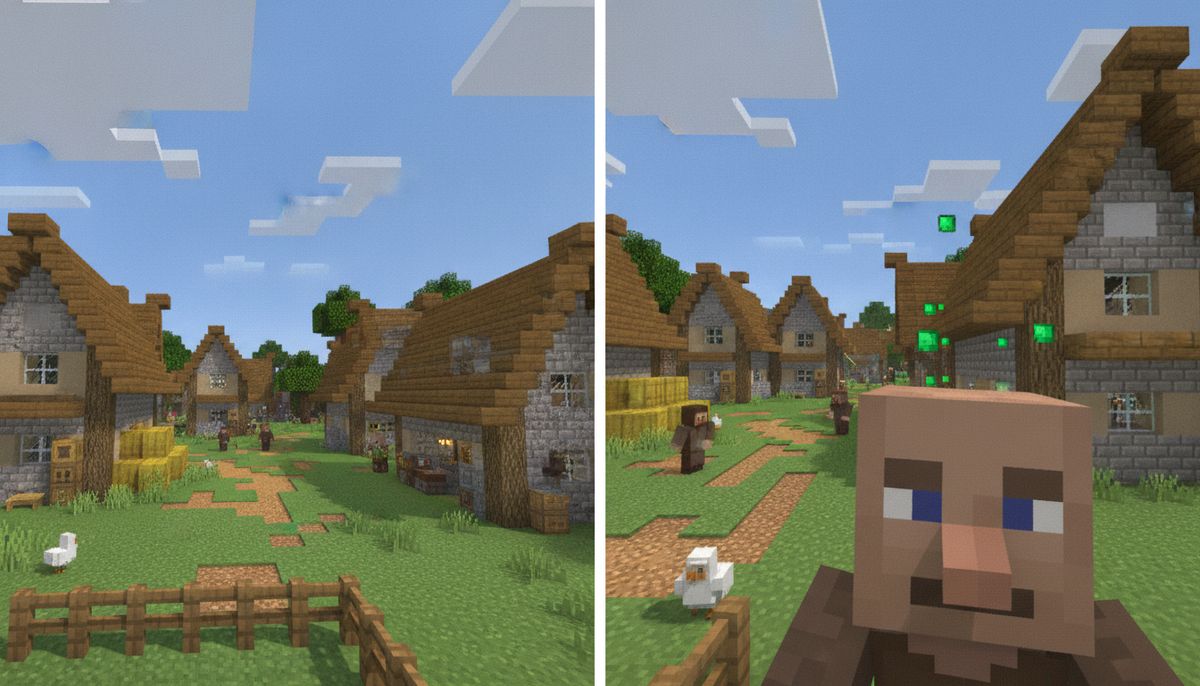
Scouting terrain before exploring saves time and resources. Zoom in to check biome boundaries, locate villages from a distance, or spot ocean monuments without swimming blindly. You can identify ore veins in cave walls from safer positions, reducing fall damage and surprise mob encounters.
In combat, zoom helps you track distant mobs before they aggro. Spot creepers hiding behind trees, identify skeleton positions for shield timing, or check if that distant shape is a player on multiplayer servers.
Building and Creative Projects
Builders use Just Zoom to inspect symmetry across large structures. Zoom out to see if your castle towers align properly, or zoom in to check detail work on distant walls without flying back and forth constantly.
The addon pairs well with other builder-focused tools from our tools collection. Combine it with coordinate displays, chunk borders, or light level overlays for a complete building workflow.
Content Creation and Screenshots
Content creators filming Minecraft videos benefit from zoom for establishing shots, character focus, and action sequences. The cinematic mode adds smooth camera movement that elevates production value without external editing.
Screenshots capture more detail when you zoom before pressing F2. Get closeups of builds, mob interactions, or scenic vistas that would normally require third-person camera angle manipulation.
Multiplayer and PvP Scenarios
On multiplayer servers, zoom gives you tactical awareness. Identify player positions in faction wars, track opponents in survival games minigames, or coordinate base raids by scouting from a distance.
Some users report the zoom doesn't seem to go as far as normal spyglasses, though this may be subjective perception rather than actual magnification difference. The addon provides sufficient zoom for most practical applications without the spyglass overlay blocking peripheral vision.
Alternative Zoom Addons for Bedrock Edition
Just Zoom dominates the search results, but other options exist if you want different features or activation methods.
Simple Zoom
SimpleZoom is a lightweight zoom addon for Minecraft Bedrock Edition that stays true to the vanilla experience. To activate the zoom, simply crouch three times quickly. After the third crouch, keep holding sneak to stay zoomed in. Release sneak at any time to return to normal view.
This simple triple-crouch system works naturally across mobile, console, and PC without adding extra buttons. If you prefer activation methods that don't require chat commands or macro setup, Simple Zoom offers plug-and-play functionality.
The trade-off is reduced customization. You can't change the trigger or toggle cinematic effects. Simple Zoom excels at one thing: providing vanilla-style zoom with minimal configuration.
OptiFine-Style Zoom for Bedrock
Java Edition players familiar with OptiFine's zoom feature often search for Bedrock equivalents. Just Zoom comes closest to replicating that experience with its keyboard shortcut support and customizable activation. By default, the zoom key for OptiFine is the 'C' key, and you can configure Just Zoom's macro command to match that keybind.
No Bedrock addon perfectly mirrors OptiFine because Bedrock's modding API differs from Java's. Just Zoom provides the closest approximation with achievement-friendly implementation.
Spyglass in Vanilla Bedrock
If you're running Minecraft 1.17 or above, you may either create a spyglass or modify your FOV in the Options menu. The spyglass requires one amethyst shard and two copper ingots, materials available in most survival worlds.
The vanilla spyglass offers maximum zoom magnification but requires inventory space, item durability management, and occupies your hand slot during use. Just Zoom eliminates those friction points while providing comparable magnification for most scenarios.
Combining Just Zoom with Other Addons
Version 1.2.1 fixed file naming conflicts that previously caused crashes when combining Just Zoom with other addons. You can now safely pair it with most popular Bedrock mods without compatibility issues.
Our guide on How to Combine Addons Safely on Bedrock explains load order principles and conflict resolution. Just Zoom works well with utility addons like coordinate displays, minimap overlays, and UI improvements because it modifies only camera and HUD elements.
Avoid combining Just Zoom with other zoom addons to prevent trigger conflicts. If you want multiple camera tools, choose complementary mods like first-person perspective tweaks or FOV adjusters rather than duplicate zoom implementations.
Why Just Zoom Works Better Than Spyglass for Most Players
The spyglass is a brilliant vanilla addition that solves long-range visibility, but it comes with practical limitations. You need to craft it first, which requires finding amethyst geodes and mining copper. Early-game players don't always have immediate access to those materials.
Even after crafting a spyglass, you must equip it in your hand, replacing whatever tool or weapon you were holding. In combat situations or while building, that extra step interrupts your workflow. The spyglass overlay also blocks peripheral vision with its black vignette border, reducing situational awareness.
Just Zoom activates instantly via hotkey without changing your equipped item. You maintain full control over your character while zoomed, can attack or place blocks immediately after zooming out, and keep your entire screen visible without overlay obstruction.
For players who prefer vanilla gameplay authenticity, the spyglass remains the canonical choice. For everyone else prioritizing efficiency and convenience, Just Zoom is the practical solution.
More Essential Utility Mods
Just Zoom pairs perfectly with other quality-of-life improvements. Explore coordinate displays, minimap addons, and building tools that streamline your Bedrock experience.
Browse Tools Collection →Frequently Asked Questions from the Community
Players searching for zoom addons often have similar questions based on their platform or gameplay preferences.
Does Just Zoom work on console? Yes, it functions on Xbox, PlayStation, and Nintendo Switch. You'll need to import the addon file using a USB drive or Microsoft account cloud storage since consoles can't directly download .mcaddon files from websites.
Can I use Just Zoom on Realms? Realms support addons if the world owner activates them before uploading the world to Realms. All players who join the Realm will use the zoom features automatically without needing to install anything on their end.
Does it work with controller support? Users confirm it works with controllers, though you may need to remap the zoom trigger to a convenient button combination through your platform's controller settings.
Will it slow down my mobile device? It runs well on phones, tablets, consoles, and Windows devices, so mobile players can zoom easily without performance issues. The addon is lightweight and doesn't add texture files or complex scripts that would impact frame rates.
Final Verdict on Just Zoom for Minecraft Bedrock
Users report they've never seen a zoom mod for Bedrock that works this well. The combination of achievement-friendly implementation, cross-platform compatibility, and customizable triggers makes Just Zoom the definitive zoom solution for Bedrock Edition in 2026.
The addon solves a genuine quality-of-life problem without introducing bloat or unnecessary features. It respects player choice by offering multiple activation methods instead of forcing one control scheme. Regular updates from dimzcraft ensure compatibility with the latest Minecraft versions and resolve conflicts with other popular addons.
Whether you're a survival player tired of crafting spyglasses, a builder who needs precision inspection tools, or a content creator filming gameplay footage, Just Zoom delivers exactly what its name promises: straightforward zoom functionality that works the moment you need it.
Download Just Zoom and other essential Bedrock utilities from our tools collection to enhance your gameplay without compromising achievements or vanilla compatibility.