What Are Skin Packs?
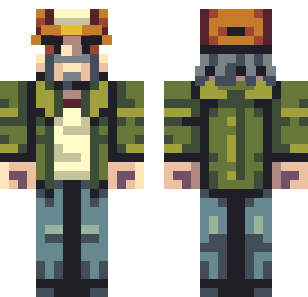
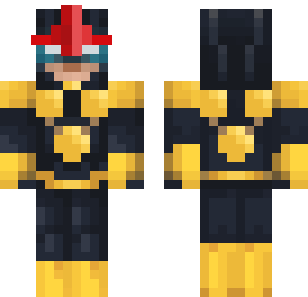
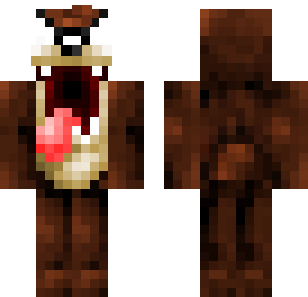
Skin packs are themed bundles of multiple skins grouped around a single concept — a military squad, an animal collection, a superhero team. Instead of downloading skins one at a time, packs give you an entire curated set in one file.
Looking for individual free skins instead? See our complete skins guide with 840+ individual characters.
Skin Packs vs. Individual Skins
| Feature | Skin Packs | Individual Skins |
|---|---|---|
| Format | Bundled collection (5-20 skins) | Single character |
| Theme | Unified visual style | Mix of styles |
| Install | One file imports all skins | One file per skin |
| Best for | Multiplayer squads, themed servers | Personal customization |
| Variety | Themed depth | Broader selection |
Packs shine in multiplayer. When your squad all rocks matching military skins or coordinates superhero outfits, it transforms the experience.
Best Themed Pack Categories
Military & Tactical Packs
Full squads with matching gear — camo patterns, tactical vests, helmets, night-vision variants. Perfect paired with gun mods for combat gameplay.
Animal & Creature Packs
Fox, wolf, bear, cat, and dragon character sets. Each pack usually includes 8-12 animal characters with consistent art style. Great for family servers.
Superhero Team Packs
Comic-inspired hero and villain sets. Coordinate with friends — one picks the heroes pack, another grabs the villains. Pairs well with fun mods that add special abilities.
Browse Themed Skin Collections
Military squads, animal crews, superhero teams, and more — themed skin pack bundles free for Bedrock 1.21.
Browse All Skins →How to Install Skin Packs
- Download the skin pack from our collection
- Tap/click the file — Minecraft imports all skins
- Open Profile → Dressing Room → select any skin from the pack
- Done — switch between pack skins anytime
Need detailed platform steps? See our skin installation guide.
Building Your Collection
Start with one pack that matches your primary playstyle. Combat players grab Military. Creative builders try Stylish. Animal lovers pick the Creatures set.
Add packs gradually. Each new pack expands your wardrobe. Since skins don't conflict with each other or mods, there's no compatibility risk.
Mix across packs. Once imported, every skin from every pack sits in your Dressing Room. Wear a military skin from one pack with nothing else — packs are just convenient bundles for downloading.
Pair Skin Packs with Mods
Themed packs create stronger experiences when matched with mods:
- Military pack + gun mods + vehicle mods = tactical squad
- Animal pack + mob addons = wildlife world
- Fantasy pack + medieval furniture = RPG adventure
Skin Pack Safety
Skin pack files are image collections — PNG files bundled together. They cannot contain viruses or executable code.
We provide direct downloads with no ads, redirects, or bundled software.
For more on safe downloading: Are Minecraft mods safe?