Why Two Terms for the Same Thing?
If you've searched for Minecraft modifications, you've probably seen both "mods" and "addons" used everywhere. It can be confusing — are they the same thing, or is there a real difference?
The short answer: both terms describe user-created content that changes Minecraft, but they come from different parts of the Minecraft ecosystem. Understanding the distinction helps you find the right content for your platform.
What Are Minecraft Mods?
"Mod" is short for modification — a term the gaming community has used since the early days of PC gaming. In Minecraft specifically, mods originated with Java Edition.

Java Edition mods work through third-party mod loaders:
- Forge — the original and most established mod loader, with thousands of mods available
- Fabric — a newer, lightweight alternative that's gained popularity for its performance
- NeoForge — a community fork of Forge
Java mods are .jar files (Java archives) that modify the game's code directly. This gives modders deep access to game mechanics, enabling complex changes like entirely new dimensions, advanced machinery, or magic systems with hundreds of spells.
Key traits of Java mods:
- Require a mod loader (Forge, Fabric, or NeoForge)
- PC only (Windows, macOS, Linux)
- Can modify game code deeply
- Huge modding community with decades of content
- Often combined into large modpacks via launchers like CurseForge or Modrinth
What Are Minecraft Addons?
"Addon" is Mojang's official term for modifications on Bedrock Edition. Instead of modifying game code, addons use Bedrock's built-in data-driven system.
Bedrock addons come in three file formats:
| Format | What It Contains | How to Install |
|---|---|---|
.mcpack |
Single resource OR behavior pack | Tap file to import |
.mcaddon |
Both packs bundled together | Tap file to import |
.mcworld |
Complete world with packs included | Tap to add to worlds list |
Addons use JSON files to define new behaviors, entities, items, and blocks. Resource packs change visuals and sounds. Together, they can add new mobs, weapons, vehicles, furniture, and much more.
Key traits of Bedrock addons:
- No mod loader needed — Minecraft imports them natively
- Work on all Bedrock platforms: iOS, Android, Windows, Xbox, PlayStation, Switch
- Data-driven (JSON) rather than code-based
- Easier to install — just tap the file
- Cross-platform — one addon works everywhere
For a deeper dive into the addon system, see our complete Bedrock addons guide.
Key Differences at a Glance
| Java Mods | Bedrock Addons | |
|---|---|---|
| Platform | PC only | All platforms (mobile, PC, console) |
| Installation | Mod loader required | Tap to import |
| File types | .jar | .mcpack, .mcaddon, .mcworld |
| Modification depth | Deep code access | Data-driven (JSON) |
| Mod loader | Forge, Fabric, NeoForge | None needed |
| Multiplayer | Server must have mods | Host activates addon |
| Official support | Community-driven | Officially supported by Mojang |
| Modpacks | One-click install via launchers | Manual install per addon |
Which Term Should You Use?
Both are correct. In practice:
- "Mods" is the more popular search term and what most players say in conversation
- "Addons" is technically accurate for Bedrock and what Mojang uses officially
- Most websites, including ours, use both terms because the community does
When you see "Minecraft mods" on a Bedrock-focused site like Mods4Minecraft, it means the same thing as "Minecraft addons." We use "mods" in our name and URLs because it's the term most players search for, but our content is Bedrock addons.
How to Install Mods and Addons
Bedrock Edition (iOS, Android, Windows, Console)
- Download the
.mcpackor.mcaddonfile from a trusted source like our collection - Tap the file — Minecraft opens and imports it automatically
- Create or edit a world
- Go to Behavior Packs and Resource Packs in world settings
- Activate the addon and play
For detailed platform-specific instructions, see our installation guides.
Java Edition (PC)
- Install a mod loader (Forge or Fabric)
- Download the
.jarmod file - Place it in the
modsfolder inside your Minecraft directory - Launch Minecraft using the mod loader profile
- The mod loads automatically
Can You Convert Between Mods and Addons?
No. Java mods and Bedrock addons are fundamentally incompatible:
- Java mods use compiled Java code; Bedrock addons use JSON data files
- The two editions have different game engines under the hood
- There is no converter tool that can translate between them
However, many popular Java mod concepts have been recreated as Bedrock addons by the community. If your favorite Java mod doesn't exist on Bedrock, chances are someone has made a similar addon.
Which Edition Should You Choose for Modding?
Choose Java Edition if:
- You play on PC and want the deepest modding experience
- You want access to massive modpacks with hundreds of mods
- You want mods that fundamentally change game mechanics
Choose Bedrock Edition if:
- You play on mobile or console
- You want easy, tap-to-install modifications
- You want cross-platform play with friends on different devices
- You prefer officially supported modifications
Many players enjoy both editions for different reasons. There's no wrong choice.
Browse Free Mods and Addons
Ready to start modding? Browse our collection of 500+ free Minecraft mods and addons for Bedrock Edition. Every addon is tested for Minecraft 1.21 and works on all Bedrock platforms.
Popular categories to explore:
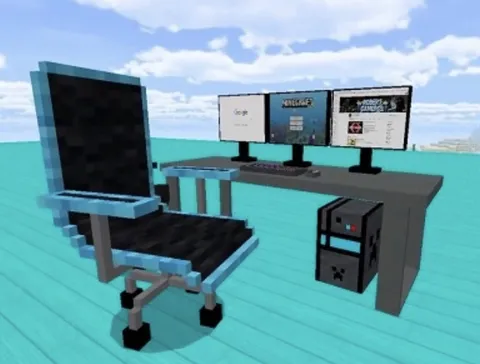
- Furniture mods — tables, chairs, appliances, and home decor
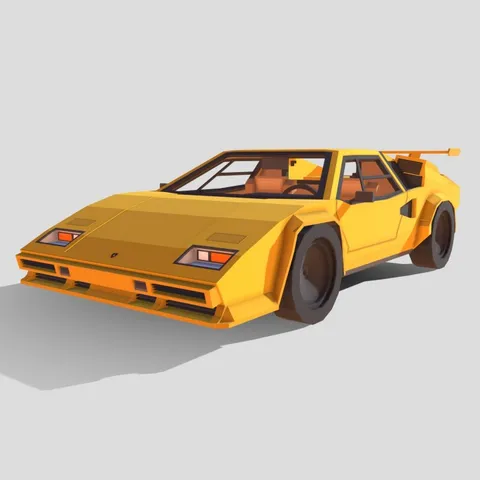
- Vehicle addons — cars, planes, helicopters, and boats
- Mob mods — new creatures, pets, and boss fights
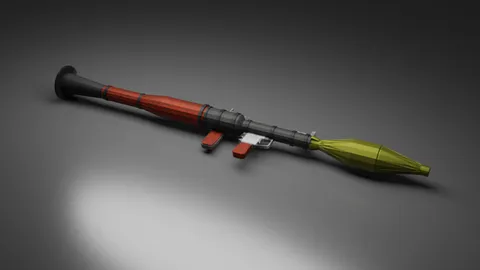
- Gun addons — firearms, explosives, and tactical gear
- Maps — adventure, parkour, survival, and mini-games