
Why Everyone is Searching for the Project Luna Addon
Project Luna has surpassed 16,700 downloads on CurseForge, and the search term "mcpe luna mod" continues to climb in popularity. Players searching for this addon are looking for something specific: RPG-style progression that feels meaningful without straying too far from vanilla Minecraft.
The addon focuses on expanding gameplay through new mechanics, entities, biomes, weapons, and structures while keeping the vanilla feel intact, with a soul-based trading system and legendary weapons featuring unique skills. That balance has struck a chord with Bedrock players tired of bloated overhauls that break immersion.
The addon receives regular updates, either monthly or weekly depending on the size of the update. Active development means bugs get squashed quickly and fresh content drops on a predictable schedule. That consistency builds trust, especially in the Bedrock modding scene where abandoned projects are common.
Zeromaster178 created the addon with help from Expler HD. The collaboration shows in the polish. From custom camera angles when wielding legendary gear to tameable creatures that actually serve a purpose, Project Luna feels deliberate in every design choice.
Core Features: What Project Luna Actually Adds
Soul Collection System and Trading
The addon features a soul collection system that functions as the central currency. Killing mobs grants souls, which you then spend at a custom NPC called the Soul Trader. This creates an actual reason to engage with combat beyond experience points.
The Soul Trader acts as a quest hub and vendor rolled into one. You exchange souls for rare materials, unlock progression tiers, and gain access to crafting recipes that would otherwise remain hidden. The system adds layers to survival without requiring you to study wikis or memorize complex tech trees.
Legendary and Epic Weapons
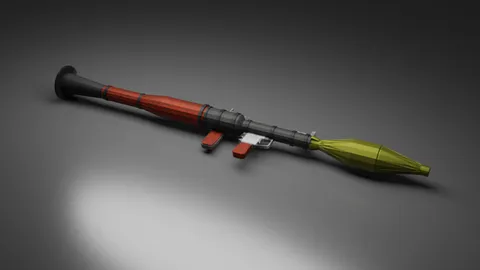
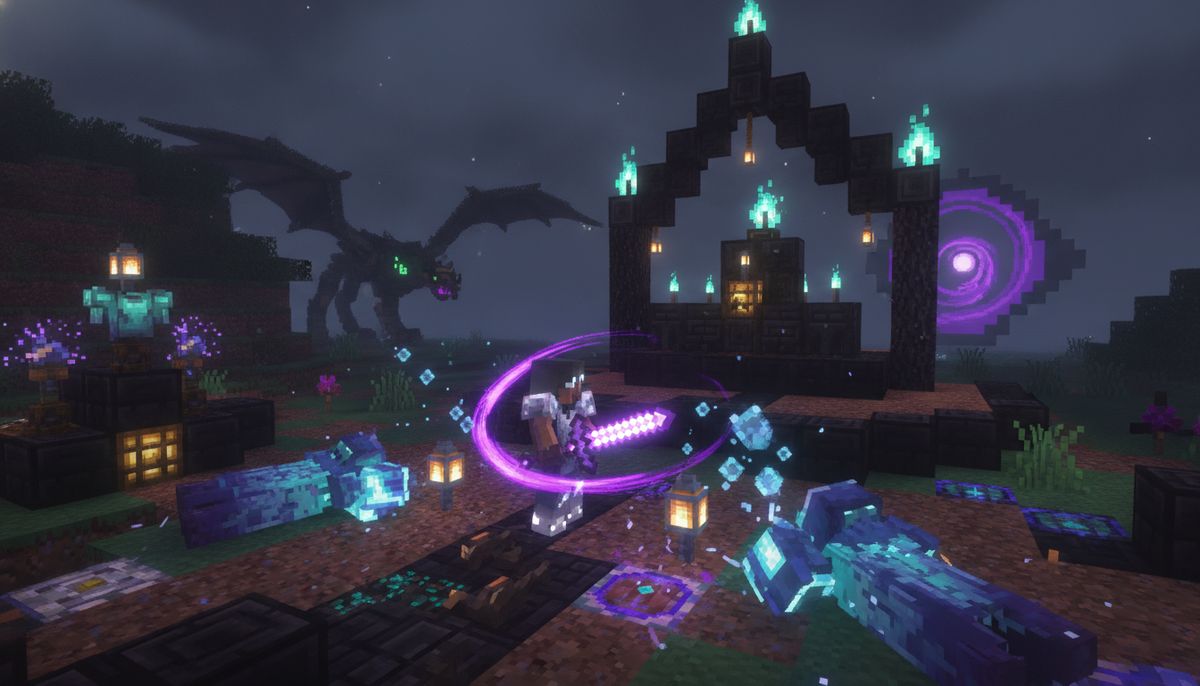
When holding epic and legendary weapons, the camera switches to shoulder surfing mode. This third-person perspective shift makes combat feel deliberate and weighty. Each legendary weapon comes with unique attack patterns and skills that change how you approach fights.
Legendary weapon skills are still experimental and may change in future updates. Expect balancing tweaks as the community tests damage outputs and cooldown timers. The current roster includes weapons that drop from boss fights and structures, each tied to specific progression milestones.
If you enjoy the combat focus here, our collection of weapons addons includes dozens of alternatives ranging from modern firearms to fantasy blades.
Custom Entities: Soul Trader and Glacial Creatures
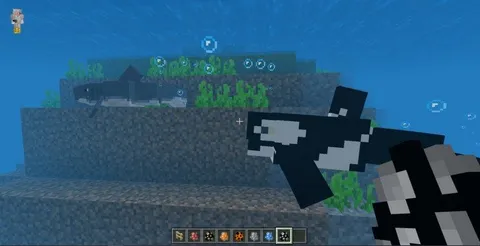
The addon includes a mythical creature brought back with the help of the Soul Trader, and Glacial creatures—ice-covered cube creatures living in frozen biomes that can be tamed and bred using blue ice, ice, or packed ice, with offspring dropping Glacial Shards when they grow into adults for crafting the Glacial Armor Set.
These aren't just decorative additions. Glacials function as resource generators once tamed, providing a renewable source for high-tier armor materials. The breeding mechanics reward patient players who invest time in creature management rather than endless mining.
Check out our mobs category for more creature-focused addons, including tameable dragons, mythical beasts, and dungeon guardians.
Unique Biomes and Structures
The addon introduces a mystical biome nestled within forested areas, filled with unique flora and custom trees, with strikingly vibrant colors shaped by the Fairies that inhabit this land. A desolate biome surrounds Mesa terrain, where all color seems to have drained from the world.
These biomes spawn naturally in your world once you enable the addon. You'll recognize them immediately by their distinct color palettes and ambient particle effects. The structures that generate within them contain loot tied to the soul progression system, giving you specific destinations to explore rather than aimless wandering.
For players who want more environmental overhauls, our guide to the Best Biome Overhaul Addons for Minecraft Bedrock covers other terrain transformation mods.
Craftable Armor Sets and Player Skills
The addon includes passive player skills, craftable armor sets, and procedurally generated structures. Passive skills unlock as you progress through the soul system, providing permanent buffs like dash abilities, increased health pools, and improved resource gathering rates.
Armor sets require materials from multiple sources: boss drops, biome-specific ores, and creature byproducts like Glacial Shards. The crafting recipes encourage you to engage with every system Project Luna offers rather than focusing on a single gameplay loop.
Armor Enhancements Collection
Discover armor mods that add new protection tiers, special abilities, and visual customization to your Bedrock worlds.
Browse Collection →Boss Fights and End-Game Challenges
The newest and most powerful boss in this addon is a true end-game challenge, recommended to fight after defeating the Ender Dragon, and upon defeat drops a Draqiel Loot Bag which randomly grants one of two legendary weapons.
This positions Project Luna as true post-dragon content. The loot bag RNG creates replayability if you're hunting for a specific weapon, though some players may prefer guaranteed drops. The boss itself requires coordination and preparation, with attack patterns that punish careless play.
For more boss-focused content, explore our roundup of the Best Boss Fight Addons for Minecraft Bedrock Edition.
How to Install Project Luna on Bedrock Edition
Installing addons on Minecraft Bedrock works differently than Java mods. You'll download a .mcaddon or .mcpack file, import it into the game, and activate it in your world settings. The process is identical across iOS, Android, and Windows 10/11.
Step 1: Download the Addon File
Project Luna is available on CurseForge. Navigate to the Files tab on the addon page and download the latest version. Make sure the version number matches your Minecraft Bedrock Edition version. As of late July 2026, the addon supports versions 1.21 and above, including 26.10, 26.11, and 26.30.
Save the .mcaddon file to a location you can easily access. On mobile devices, your Downloads folder works fine. On Windows, consider creating a dedicated Minecraft addons folder to keep things organized.
Step 2: Import Into Minecraft
On Android and iOS: Tap the downloaded .mcaddon file. Your device will prompt you to open it with Minecraft. Confirm, and the game will launch and display an import message. You'll see confirmation that both the behavior pack and resource pack installed successfully.
On Windows 10/11: Double-click the .mcaddon file. Minecraft will open automatically and import the addon. If the game doesn't launch, right-click the file and choose "Open with Minecraft."
Step 3: Enable in World Settings
Create a new world or edit an existing one. Navigate to the Resource Packs and Behavior Packs sections in your world settings. Locate Project Luna in the available packs list and move it to the active packs column. Make sure both the resource pack and behavior pack are enabled.
Some features require experimental gameplay toggles. Scroll to the bottom of your world settings and enable "Holiday Creator Features" and "Custom Biomes" if prompted. These options may change names depending on your Minecraft version.
Step 4: Load the World and Verify
Join your world and check that the addon loaded correctly. Open your inventory and look for new items or check if the soul counter appears on your HUD. Travel to a forest biome to search for the custom mystical biome, or attempt to locate a Soul Trader NPC.
If features don't appear, exit the world, double-check that both packs are active, and ensure experimental gameplay is enabled. Restart Minecraft if problems persist.
For a more detailed walkthrough covering common issues, read our full guide on How to Download and Install Minecraft Mods on Bedrock Edition.
Is Project Luna Safe and Legitimate?
Project Luna comes from an official CurseForge listing with transparent authorship. Zeromaster178 maintains an active presence, responds to bug reports, and issues regular updates. These signs indicate a legitimate project rather than a malicious upload or cash-grab repost.
Addons from CurseForge undergo moderation before becoming publicly available. The platform scans uploads for malware and requires creators to verify their accounts. That doesn't guarantee perfection, but it provides a baseline level of safety that sketchy third-party sites lack.
Before installing any addon, verify the creator name and check upload dates. Clone uploads often copy descriptions verbatim but have inconsistent update schedules. Cross-reference the download count and community comments to spot red flags.
For broader context on addon safety, check out our article on Are Minecraft Mods Safe? How to Download Without Viruses.
Tips for Getting the Most Out of Project Luna
Start Soul Farming Early. Souls function as the primary bottleneck for progression. Set up a mob farm near your base to passively accumulate souls while you handle other tasks. Even a simple dark room with water channels will accelerate your progression significantly.
Prioritize Unlocking Passive Skills. The dash ability and health upgrades impact every aspect of gameplay. Spend your first batch of souls on these permanent upgrades rather than saving for weapons you may not use effectively yet.
Explore Biomes Methodically. The custom biomes spawn structures containing materials you can't craft or trade for. Mark their locations on a map and return periodically as new content updates add additional loot pools.
Tame Multiple Glacials. Breeding takes time, and offspring only produce one Glacial Shard per maturation cycle. Build a pen early and start breeding pairs so you have a steady supply when you're ready to craft the armor set.
Prepare for the End-Game Boss. Stock up on healing items, enchant your gear thoroughly, and bring backup equipment. The Draqiel fight has multiple phases, and you won't have time to return to your base mid-combat.
How Project Luna Compares to Other RPG Addons
Project Luna sits in a sweet spot between lightweight quality-of-life mods and full conversion packs. It doesn't overhaul vanilla systems like hunger or crafting but adds enough depth to justify long-term worlds.
Similar addons like the Best Fantasy RPG Addons for Minecraft Bedrock Edition lean heavier into class systems and skill trees. Project Luna avoids classes entirely, letting you mix and match progression paths without committing to a single playstyle.
The soul currency system resembles other progression mods but feels less grindy because regular survival gameplay naturally generates souls. You're not forced to farm specific mobs or complete arbitrary quests just to access basic features.
Combat depth rivals weapon-focused addons on our Best Weapons and Guns Addons for Minecraft Bedrock list, but Project Luna integrates that combat into a larger ecosystem rather than existing in isolation.
Compatibility and Performance Considerations
Project Luna requires Minecraft Bedrock Edition version 1.21 or higher. Older versions won't support the custom biome generation or entity behaviors the addon relies on. Check your game version before downloading to avoid wasted time troubleshooting compatibility issues.
The addon performs well on mid-range devices. Custom entities and biomes add some overhead, but the creators optimized particle effects and rendering to minimize lag. Budget Android devices from the past two years should handle it without major frame drops.
You can run Project Luna alongside other addons, but conflicts may occur if another addon modifies the same mob behaviors or biome generation systems. Test combinations in a separate world before committing to a long-term survival save.
For guidance on mixing multiple addons safely, read our article on How to Combine Addons Safely on Bedrock.
Alternative RPG and Progression Addons
If Project Luna's soul system doesn't appeal to you, dozens of alternatives offer different takes on RPG progression. The Lifesteal Addon centers combat around health theft mechanics, creating tense PvP scenarios where every hit matters.
Best Dungeon Crawler Addons for Minecraft Bedrock focuses on procedurally generated loot runs and boss fights, ideal if you prefer shorter gameplay loops over long-term progression.
Magic-focused players should explore our Best Magic and Spells Addons for Minecraft Bedrock collection. These addons trade weapon skills for spellcasting systems, offering entirely different power fantasies.
Survival purists might prefer addons from our Best Survival Addons for Minecraft Bedrock guide, which enhance core mechanics without adding fantasy elements or custom currencies.
Common Questions About Project Luna
Does Project Luna work on Realms? Yes, as long as all players install the addon before joining. The host must enable it in the Realm settings, and every participant needs both the behavior pack and resource pack active.
Can I add Project Luna to an existing world? Technically yes, but custom biomes won't generate in already-loaded chunks. You'll need to explore new territory to find the mystical forests and desolate mesa biomes. Existing structures and mobs will update immediately.
What happens if I remove the addon mid-playthrough? Any items, entities, or blocks added by Project Luna will disappear. Your world will likely throw errors when loading, and you may lose progress if you crafted gear or collected souls. Always back up your world before removing addons.
Does the addon disable achievements? Yes, like all behavior packs on Bedrock Edition. The moment you enable Project Luna in a world, achievements become permanently disabled for that save. Create a separate world if you're chasing achievement milestones.
How often does the addon update? The creator aims for monthly major updates with weekly bug fixes as needed. Check the CurseForge page's changelog to see what changed between versions before updating mid-playthrough.
Version Compatibility Table
| Minecraft Version | Project Luna Support | Notes |
|---|---|---|
| 1.21.x | Full Support | Recommended version |
| 26.30 | Full Support | Latest preview features |
| 26.11 | Full Support | Stable release |
| 26.10 | Full Support | Older stable release |
| 1.20.x and below | Not Supported | Missing required features |
Always verify version compatibility before downloading. The CurseForge page lists supported versions for each release, and installing an incompatible version will prevent the addon from loading entirely.
Legendary Weapons Collection
Explore more weapon addons featuring unique attack patterns, special abilities, and custom animations for Bedrock Edition.
Browse Collection →Final Thoughts on Project Luna
Project Luna aims to add depth and replayability to your world, and it delivers on that promise through interconnected systems that reward exploration and experimentation. The soul currency avoids feeling like arbitrary grind, passive skills provide tangible power increases, and legendary weapons change how combat feels without breaking game balance.
More content is continuously being added with each update, so jumping in now means you'll experience the evolution of the addon as new biomes, bosses, and weapons get added. Early adopters often influence development through feedback and bug reports.
The addon works for solo survival enthusiasts and multiplayer groups equally well. Solo players can progress at their own pace, while groups can coordinate to tackle the end-game boss together or compete to collect legendary weapons first.
Download Project Luna if you want RPG depth without abandoning Minecraft's core identity. The vanilla-plus philosophy means your existing knowledge still applies—you're learning new systems rather than relearning fundamentals from scratch.