
Why Modern City Building Demands Specialized Addons
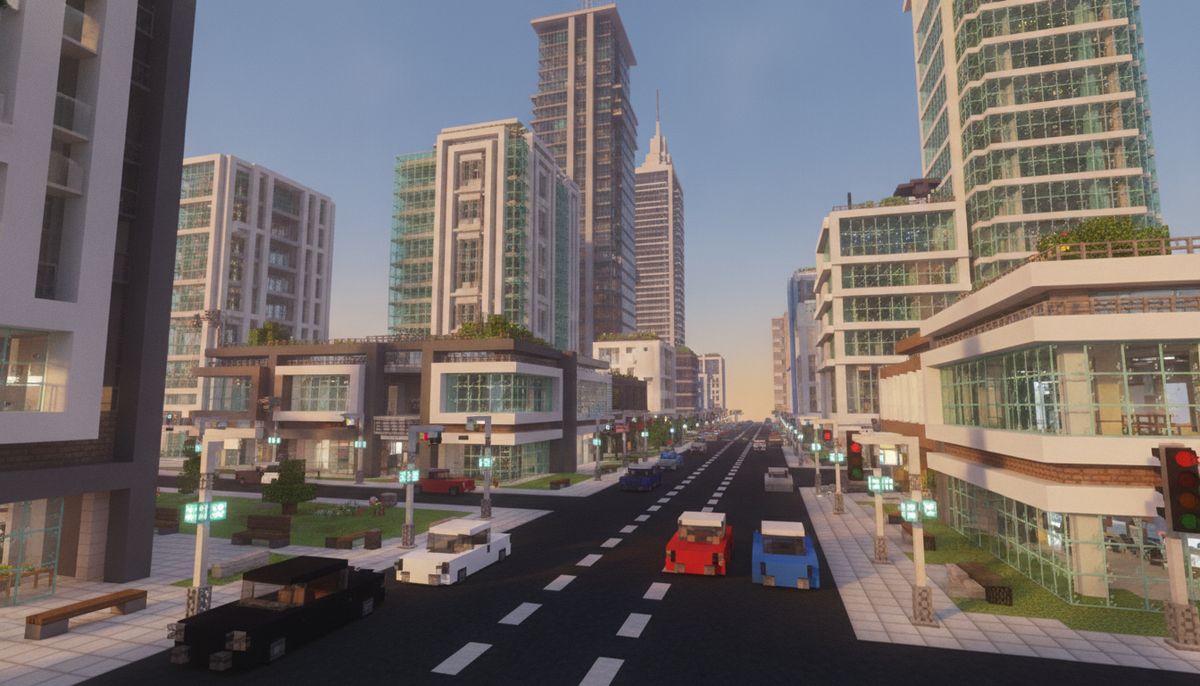
Building a convincing modern cityscape in Minecraft requires more than vanilla blocks and creative imagination. Concrete towers and glass facades only get you halfway there. The best urban builds incorporate functioning vehicles, detailed street furniture, realistic lighting systems, and architectural variety that transforms empty plots into believable metropolitan environments.
Modern city addons solve specific problems that builders face daily. Vanilla Minecraft lacks proper roads with lane markings, functional traffic systems, skyscraper-ready elevator mechanics, and the decorative variety needed for storefronts, office interiors, and public spaces. Dedicated urban mods fill these gaps with specialized blocks, entities, and mechanics designed specifically for contemporary architecture.
The difference between a basic city build and a professional-looking metropolis often comes down to addon selection. The right combination of structure packs, vehicle mods, and decoration expansions can reduce build time by 60 percent while dramatically improving visual authenticity. This guide covers the essential addons that serious city builders rely on for Minecraft Bedrock Edition.
Complete Houses and Structures
Pre-built modern homes, commercial buildings, and architectural blueprints to jumpstart your urban projects.
Browse Collection →Essential Modern Architecture Addons
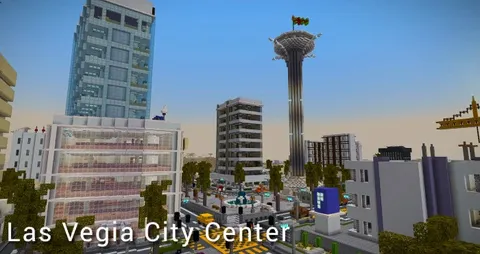
Urban Structure Pack remains the gold standard for city builders working in Bedrock. This comprehensive addon includes 47 pre-built modern structures ranging from residential towers to commercial complexes. Each building features fully furnished interiors with office spaces, apartment layouts, and retail storefronts. The pack uses primarily concrete, glass, and terracotta blocks in neutral color schemes that match contemporary architectural styles.
The structure generation system integrates with natural world generation, spawning buildings in plains and savanna biomes. Buildings range from 12-block townhouses to 64-block skyscrapers. Interior decoration includes custom furniture pieces: cubicle desks, filing cabinets, water coolers, and conference room tables. Version compatibility extends from 1.18 through current 1.21 releases.
Skyscraper Mega Pack focuses exclusively on vertical construction. Ten different tower designs provide variety for downtown skylines, each with distinct architectural features. The Central Business District tower uses a steel-frame aesthetic with exposed support beams. The Glass Curtain Wall design maximizes transparency with floor-to-ceiling windows on all sides. The Brutalist Complex features raw concrete facades with asymmetrical window placement.
Each skyscraper includes functional elevator systems using redstone mechanics. Ground floors contain retail spaces or lobby areas. Mid-level floors provide office layouts with partitioned workspaces. Top floors feature executive suites or residential penthouses. Building heights range from 40 to 80 blocks, making them suitable for varied city districts.
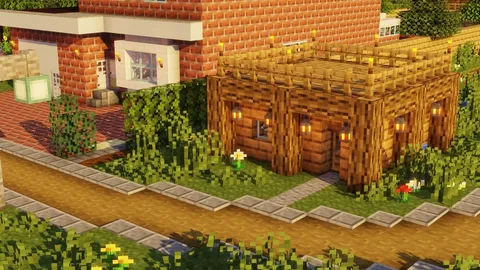
Modern Suburbs Collection addresses residential area needs. This addon contains 23 single-family home designs, eight townhouse variations, and four apartment building styles. Architecture spans multiple decades from mid-century modern ranch houses to contemporary minimalist boxes. Each structure includes landscaped yards, driveways, and garage spaces scaled for vehicle addons.
Interior furnishings match architectural periods. Ranch houses feature wood paneling and vintage appliances. Contemporary builds include open-concept living spaces and modern fixtures. All homes include functional kitchens, bathrooms, bedrooms, and living areas. Lot sizes vary from compact urban townhouses on 12x20 plots to suburban estates occupying 40x40 spaces.
Vehicle and Transportation Mods for Urban Environments
City builds feel empty without functioning transportation systems. City Vehicles Addon provides the most comprehensive automotive selection for Bedrock players. The pack includes 31 drivable vehicles across multiple categories: sedans, SUVs, sports cars, delivery trucks, buses, and emergency vehicles. Each vehicle features realistic driving physics, working headlights, and appropriate sound effects.
Sedans include compact models for narrow streets and luxury vehicles for upscale districts. SUVs and trucks handle rougher terrain outside city limits. Sports cars reach higher speeds on highways. Public transit options include 40-passenger buses with route stops. Emergency vehicles feature functional sirens and flashing lights. All vehicles require fuel crafted from coal and water bottles.
Metro Transit System adds underground rail infrastructure to your builds. The addon includes train cars, station platforms, ticket gates, and track systems. Trains run on powered rails with automated scheduling systems. Station designs range from simple subway stops to grand central terminal layouts. Signage blocks display route maps and destination information.
Each train car holds up to 20 passengers with standing room animations. Express trains skip intermediate stops while local services stop at every station. The addon includes escalators, stairways, and elevator connections between street level and platforms. Track segments snap together in straight lines, curves, and intersection junctions.
Aviation Expansion brings air travel to your urban builds. Small private helicopters land on rooftop helipads. Commercial airliners require dedicated airport infrastructure. The addon includes control towers, hangars, terminal buildings, and runway systems. Aircraft feature working instruments, animated control surfaces, and realistic takeoff mechanics.
Helicopters suit downtown environments with limited landing space. Small prop planes work for regional airports. Commercial jets need 150-block runways for safe operations. Airport terminals include check-in counters, security checkpoints, baggage claim areas, and passenger gates. Ground service vehicles like fuel trucks and baggage carts complete the aviation ecosystem.
Street Infrastructure and Urban Detailing
Complete Streets Pack transforms generic pathways into convincing urban roads. This addon provides asphalt blocks in multiple colors, painted lane markings, crosswalk patterns, and curb segments. Road varieties include two-lane residential streets, four-lane arterials, six-lane highways, and one-way downtown routes. Intersection pieces create four-way stops, traffic circles, and highway interchanges.
Traffic control elements include stop signs, traffic lights, street signs, and road barriers. Parking lots use marked spaces with different stripe patterns for regular, handicapped, and loading zones. Sidewalk blocks come in concrete, brick, and decorative pavers. Street furniture pieces add benches, trash receptacles, bike racks, and bus shelters.
The addon includes storm drain grates, manhole covers, and utility access panels that add realism to street surfaces. Construction zone elements like orange barrels, caution tape, and detour signs help create realistic work areas. Highway features include guard rails, sound barriers, and overhead gantry signs. All blocks use custom textures that blend seamlessly with vanilla concrete and terracotta.
Urban Lighting Solutions addresses the challenge of illuminating city builds effectively. Standard torches and lanterns break immersion in modern settings. This mod adds street lamps in contemporary styles, decorative bollard lights, parking lot floods, and architectural accent lighting. Each fixture provides equivalent light levels to torches while maintaining aesthetic consistency.
Street lamps come in five heights from residential post lights to tall highway standards. Mounting options include ground placement, wall attachment, and hanging configurations. LED strip lighting creates accent illumination along building edges and under overhangs. Traffic signal lights provide red, yellow, and green illumination states. All fixtures use custom block models that avoid the blocky appearance of vanilla light sources.
Commercial and Interior Decoration Addons
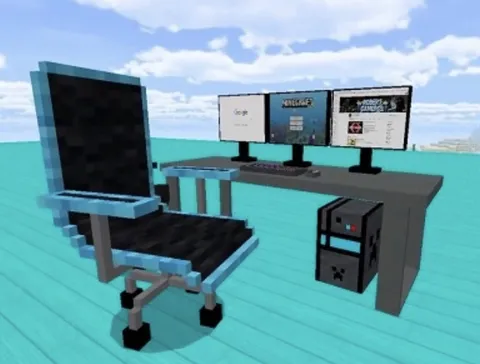
Modern Furniture Mega Pack solves the interior design challenge that vanilla Minecraft creates. This comprehensive addon adds over 200 furniture pieces and decorative objects specifically designed for contemporary spaces. Office furniture includes desks, office chairs, filing cabinets, cubicle partitions, and conference tables. Retail fixtures provide display racks, checkout counters, shopping carts, and fitting room doors.
Residential furniture covers complete room sets. Living rooms get sectional sofas, entertainment centers, coffee tables, and floor lamps. Kitchens receive modern appliances, counter islands, bar stools, and pendant lighting. Bedrooms include platform beds, nightstands, dressers, and closet systems. Bathrooms feature vanities, mirrors, shower enclosures, and towel racks.
Restaurant and hospitality pieces support commercial builds. Table and chair sets come in cafe, fine dining, and fast food configurations. Kitchen equipment includes prep stations, cooking lines, and dish rooms. Hotel furniture provides lobby seating, reception desks, and guest room furnishings. All pieces use entity models that maintain proper scale and proportion.
Storefront Essentials expands commercial building options with specialized blocks for retail construction. Glass door systems include sliding automatic doors, revolving doors, and security gates. Window displays use transparent showcase blocks that protect items while allowing visibility. Awning blocks extend over sidewalks in striped or solid colors.
Signage systems let builders create custom storefronts. Letter blocks spell business names in modern fonts. Hanging signs suspend from building facades. Digital display blocks simulate LED screens and menu boards. Interior retail elements include fitting rooms, checkout counters with conveyor belts, and security sensor gates. Loading dock pieces create realistic back-of-house areas with overhead doors, dock levelers, and shipping container props.
Specialized Urban Systems and Utilities
City Services Pack adds the infrastructure elements that complete urban environments. Utility boxes, transformer stations, and power substations create realistic alleyway clutter. Dumpsters, recycling bins, and waste management trucks support sanitation systems. Fire hydrants, utility poles with wires, and street cabinets add technical detail to streetscapes.
Emergency service buildings include fire stations with apparatus bays, police stations with holding cells, and hospital emergency rooms. Each structure contains appropriate vehicles and equipment. Fire trucks feature extending ladders and working hoses. Ambulances include medical equipment and patient compartments. Police cruisers come with light bars and equipment racks.
Utility infrastructure extends underground with sewage systems, subway tunnels, and service corridors. Access manholes connect surface streets to subterranean networks. Pipe systems use directional blocks that connect in logical flow patterns. Cable and wire ducts run along tunnel ceilings. Pump stations and valve rooms create functional utility spaces.
Park and Recreation Addon brings green space to urban builds. Contemporary park furniture includes modern playground equipment, fitness stations, and picnic pavilions. Water features range from simple fountains to elaborate spray parks. Sports facilities provide basketball courts, tennis courts, and skate parks with ramps and rails.
Walking paths use stamped concrete and decomposed granite textures. Park lighting fixtures match modern design standards. Benches and seating areas come in multiple contemporary styles. Public art installations include abstract sculptures and interactive pieces. Dog parks feature fenced areas with agility equipment and waste stations. Community gardens provide raised planting beds and tool sheds.
Comparison of Top Modern City Addons
| Addon Name | Primary Focus | Structure Count | Vehicle Types | Bedrock Version |
|---|---|---|---|---|
| Urban Structure Pack | Complete buildings | 47 structures | None | 1.18-1.21 |
| Skyscraper Mega Pack | Tall buildings | 10 towers | None | 1.19-1.21 |
| City Vehicles Addon | Transportation | None | 31 vehicles | 1.18-1.21 |
| Complete Streets Pack | Infrastructure | None | None | 1.17-1.21 |
| Modern Furniture Pack | Interior design | None | None | 1.18-1.21 |
| City Services Pack | Urban systems | 12 facilities | 8 vehicles | 1.19-1.21 |
Combining Addons for Maximum Effect
Successful city builds typically combine multiple addons to achieve comprehensive results. Start with a structure pack as your foundation. Urban Structure Pack or Skyscraper Mega Pack establishes your skyline and major buildings. These provide instant scale and architectural variety that would take weeks to build manually.
Layer in street infrastructure next. Complete Streets Pack creates the circulation network connecting your buildings. Proper roads with lane markings immediately elevate build realism. Add parking areas, sidewalks, and intersection controls before moving to detailed work. Infrastructure placement should follow logical urban planning principles with main arterials connecting to residential streets.
Vehicle addons bring movement and life to static builds. City Vehicles Addon provides the variety needed for realistic traffic scenarios. Place sedans along residential streets, buses on main routes, and delivery trucks in commercial districts. Emergency vehicles should park at service buildings. Vehicles work best when scaled appropriately to street widths and building sizes.
Furniture and decoration addons complete the picture. Modern Furniture Mega Pack fills building interiors that would otherwise sit empty. Focus decoration efforts on street-level storefronts and ground floors where players spend most viewing time. Upper floors can use simplified furnishing schemes. Furniture density should match building purpose with offices receiving workstations and retail spaces getting display fixtures.
Utility and systems addons add final realism touches. City Services Pack elements like dumpsters, utility boxes, and street furniture create lived-in environments. These small details separate amateur builds from professional-quality cities. Place utility elements logically in alleys, at building service entrances, and along street edges.
Realistic Building Tools
Enhanced blocks, construction equipment, and building mechanics that speed up large-scale urban projects.
Browse Collection →Performance Optimization for Large City Builds
Modern city builds demand significant system resources. Large structure packs with dozens of buildings can strain mobile devices and lower-end PCs. Optimization strategies help maintain playable frame rates while preserving visual quality.
Limit loaded chunk distance to 8-12 chunks in city centers. Dense urban areas with tall buildings generate more rendering load than natural landscapes. Reducing view distance prevents unnecessary structure loading beyond immediate play areas. Adjust this setting in video options before exploring city districts.
Stagger addon loading by district. Residential areas might load suburban housing addons while commercial zones use skyscraper and storefront packs. Physically separate themed districts reduces simultaneous addon load. Use natural barriers like rivers or parks as transition zones where players can wait for new chunks to generate.
Entity counts impact performance more than block variety. Vehicle addons that spawn traffic or crowd mods adding pedestrians create computational overhead. Limit moving entities to player-accessible areas. Static vehicle props placed as decoration consume fewer resources than functional drivable variants. Balance realism against performance based on device capabilities.
Texture pack selection affects city build performance significantly. High-resolution realistic packs strain graphics processing. Texture packs designed for performance maintain visual quality at lower resolutions. Test different packs to find the balance between realism and frame rate for your device.
Building Your First Modern City District
Start small with a single city block rather than attempting entire downtowns. A 100x100 block area provides sufficient space for 4-6 buildings, connecting streets, and basic infrastructure. This manageable scope lets you learn addon mechanics before expanding.
Plan your street grid first. Urban planners design circulation networks before placing buildings. Lay out main streets at 20-30 block intervals with connecting side streets every 12-15 blocks. This creates development lots appropriately sized for addon structures. Mark intersections and designate one-way streets before placing any buildings.
Place anchor structures at key intersections. Tall buildings from Skyscraper Mega Pack establish visual focal points. Position your tallest structure at the district center with heights decreasing toward edges. This creates natural sight lines and prevents tall buildings from blocking each other. Leave at least 8 blocks between structures for alleys and service access.
Add infrastructure systematically. Complete streets with Complete Streets Pack elements after placing buildings but before decorating. Install traffic lights at intersections, add parking areas behind commercial buildings, and place sidewalks along all streets. Infrastructure placement affects furniture positioning so finish roads before interior work.
Detail in layers from large to small. Place major furniture pieces in buildings first using Modern Furniture Mega Pack items. Add utility elements like dumpsters and electrical boxes in alleys. Finally, scatter small details like trash cans, benches, and planters at street level. This progression prevents overdetailing early areas while missing important structural elements.
Populate with vehicles and activity last. City Vehicles Addon vehicles should park logically near buildings with corresponding uses. Place sedans at apartments, delivery trucks at stores, and buses along main routes. Avoid random vehicle placement that breaks immersion. Empty parking spaces feel more realistic than completely full lots.
Recommended Addon Combinations by Build Type
Downtown financial district builds benefit from Skyscraper Mega Pack paired with Complete Streets Pack and Modern Furniture Pack for office interiors. Add City Vehicles Addon luxury sedans and Urban Lighting Solutions for nighttime ambiance. Focus on creating canyon-like streets between tall towers with minimal green space.
Suburban residential areas work best with Modern Suburbs Collection providing varied housing stock. Add Complete Streets Pack for residential street designs and City Vehicles Addon for driveway parking. Park and Recreation Addon creates neighborhood green spaces. Lighting should emphasize residential-scale fixtures rather than tall street lamps.
Commercial shopping districts combine Urban Structure Pack retail buildings with Storefront Essentials for street-level detail. Modern Furniture Pack fills stores with appropriate display fixtures. Complete Streets Pack creates pedestrian-friendly streets with wide sidewalks. Add City Vehicles Addon for customer parking and delivery trucks at service entrances.
Mixed-use urban neighborhoods layer residential and commercial elements. Urban Structure Pack provides both building types. Ground floors use Storefront Essentials for shops while upper floors employ Modern Furniture Pack for apartments. Complete Streets Pack creates active streetscapes. This build type benefits most from careful furniture and fixture placement that differentiates uses.
Industrial and warehouse districts use City Services Pack utility buildings paired with Complete Streets Pack wider roads for truck traffic. City Vehicles Addon delivery trucks and cargo vehicles populate loading docks. Lighting emphasizes security floods rather than decorative fixtures. Minimal landscaping maintains industrial character.
Essential Tips for Modern City Builders
Test addon compatibility before starting major builds. Load all planned addons in a test world and verify they work together without conflicts. Check that vehicles spawn correctly, furniture places properly, and structures generate without errors. How to combine addons safely explains conflict identification and resolution strategies.
Document your addon load order. Bedrock handles multiple addons differently than Java Edition. Certain packs must load before others to function correctly. Record which addons you activate in which sequence so you can replicate successful configurations. This prevents frustration when returning to projects after breaks.
Create backup saves frequently during large builds. City projects represent dozens of hours of placement and detailing work. Regular backups protect against corruption or accidental deletions. Name backups descriptively with dates and district names for easy identification.
Study real city planning principles for authentic layouts. Grid patterns suit flat terrain while curved streets work better on hills. Commercial zones cluster near major intersections. Residential areas fill quieter blocks. Parks buffer different use types. Real-world urban design creates more believable Minecraft cities than random building placement.
Join building communities for inspiration and addon recommendations. Reddit's Minecraft building subreddits and Discord servers dedicated to Bedrock building share techniques and resource packs. Experienced builders often recommend specific maps and addon combinations that work particularly well together.
Scale matters more than detail count. A few well-placed large buildings create better cityscapes than dozens of tiny structures. Prioritize proper building heights and footprints over intricate decorations. Players perceive scale before noticing missing furniture details.
Start your modern city build with proven structure packs and essential vehicle mods. Layer in specialized addons as your districts develop character and purpose. The houses category provides additional residential and commercial options that complement these core urban addons.